

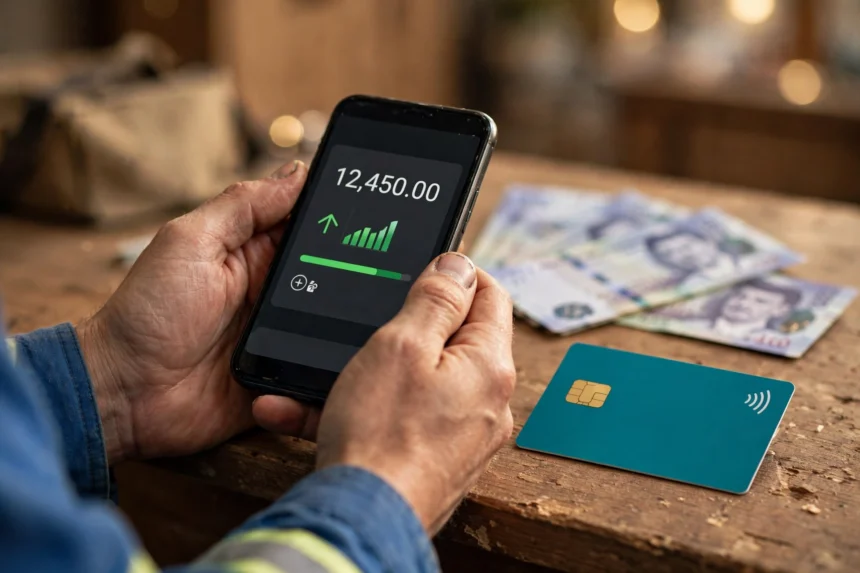
A Lulu salary card balance check takes less than a minute in the LuLu Money app. Open My Cards, tap your salary card, and the available balance shows on the screen.
- What Your Balance Actually Tells You
- Available balance and pending amounts
- The salary credit line
- Why the balance can look lower than your salary
- Lulu Salary Card Balance Check in the LuLu Money App
- Lulu Salary Card Balance Check by SMS
- Lulu Salary Card Balance Check at an ATM
- Lulu Salary Card Balance Check at a Branch or by Phone
- Which Method Fits Your Situation
- Salary Day Checklist: Confirm the Full Amount Arrived
- When Should Your Salary Arrive?
- Salary Late or Short? What to Do Next
- Fees That Shrink Your Balance
- Daily Limits to Know Before You Withdraw
- First Time? Activate the Card and Set Your PIN
- Card Lost, Blocked, or Declined?
- Keep Your Salary Safe
- Lulu Salary Card Balance Check FAQs
- Can I check my Lulu salary card balance online?
- How do I check my Lulu salary card balance by SMS?
- How often should I check the balance on my Lulu salary card?
- Is checking my Lulu salary card balance free?
- Why is my salary not showing on my Lulu card?
- Can I check my balance from outside the UAE?
- What is the difference between the salary card and the LuLu travel card?
That number answers the first question, but salary day asks a second one too. Did the full amount arrive, and did it arrive on time?
This article covers both parts. You will learn every way to see your balance, how to read what the numbers mean, and what to do when the amount looks wrong or the salary is late.
Our earlier article on Lulu Salary Card Balance Check UAE walks through the six check methods in full detail. This one focuses on payday itself, so you can confirm the money, not just see a number.
What Your Balance Actually Tells You
The balance on your card is the money you can spend right now. It is not always the same as your monthly salary. A pending purchase, a withdrawal fee, or a transfer can sit between the two numbers.
Available balance and pending amounts
Available balance is the amount free to use today. A payment you made yesterday can still show as pending while the shop finishes processing it. The money is held, so it does not appear in the available figure.
Check the transaction history beside the balance. It lists each credit and each deduction with a date. Match the latest credit against your expected salary.
The salary credit line
A salary payment usually appears as a single credit on payday. Look for the date and the amount, not just the total balance. If two credits appear, one may be an allowance or a correction from an earlier month.
Keep a note of the expected figure from your contract. Basic salary plus allowances, minus any lawful deduction, is the number that should land. A shortfall of even a small amount is worth asking about.
Why the balance can look lower than your salary
- An ATM fee was charged on a withdrawal.
- A shop payment is still pending.
- A remittance left the card before payday.
- A monthly or inactivity fee was applied.
None of these mean your salary was short. They mean money moved after the salary arrived. The transaction history shows which one applies to you.
Lulu Salary Card Balance Check in the LuLu Money App
The fastest Lulu salary card balance check happens in the LuLu Money app. It is free, it works around the clock, and it shows more than the balance. You also get the transaction history and card controls in the same place.
- Download the LuLu Money app from the App Store, Google Play, or Huawei AppGallery.
- Log in with your registered mobile number and your 4-digit app PIN or biometrics.
- Tap LuLu Money Cards on the home screen, or open More and choose My Cards.
- Read the available balance on the virtual card at the top of the page.
- Tap Transaction History to see salary credits, purchases, and withdrawals.
First time in the app? New users register with an email address, a mobile number, and an Emirates ID, then verify with an OTP. If you are new to LuLu Exchange, take your original Emirates ID to any branch to finish the KYC step.
If your card does not appear, check the mobile number first. The app account must use the same number LuLu Exchange holds for the card. A changed number is the most common reason a card goes missing from the screen.
The app also lets you download a statement. Tap Get Statement inside Transaction History and pick a period: last month, 6 months, 12 months, or custom dates. A statement helps when HR asks for proof of a missing payment.
Lulu Salary Card Balance Check by SMS
No internet and no smartphone? The SMS method still works. It runs from any phone, as long as the message comes from the number registered to the card.
- Open the messaging app on your registered phone.
- Type BAL, a space, and your card number.
- Send the message to 51199.
- Read the reply SMS, which carries your current available balance.
Use only the number and format supplied with your card. Some card versions use the Emirates ID number instead of the card number, so check the instructions that came with your card. Never share the SMS reply with anyone offering to check the balance for you.
Lulu Salary Card Balance Check at an ATM
An ATM check suits anyone who wants cash right after checking, or a printed receipt as proof. Salary cards work at LuLu Exchange branch ATMs and at Emirates NBD, Emirates Islamic, and Mashreq Bank ATMs across the UAE.
- Insert your LuLu salary card into a supported ATM.
- Enter your 4-digit PIN.
- Choose Balance Inquiry from the menu.
- Read the balance on screen, and print a receipt if you need one.
FAB is the banking partner behind the card, so FAB ATMs are a natural first stop. Our FAB Enquiry article covers FAB balance checks in more detail.
A balance enquiry at an ATM can carry a small fee. For the FAB version of the card, the 2026 fee schedule lists AED 2 per ATM balance enquiry, with the first two monthly FAB ATM transactions free.
Check the key facts statement for your card before you use an ATM only to check the balance. The app check costs nothing, so it is the better choice when you only need the number.
Lulu Salary Card Balance Check at a Branch or by Phone
A branch visit helps when the card or the app is not working. Take the card and your Emirates ID. Staff can check the balance, reset a PIN, and sort out a blocked card in the same visit.
By phone, call LuLu Exchange customer care on 600 522 204. Keep your card and Emirates ID nearby, because the agent will verify your identity first. You can also write to customercare@ae.luluexchange.com when the question is not urgent.
Which Method Fits Your Situation
Pick the Lulu salary card balance check method that fits the moment. The app wins for everyday checks. The other methods cover the days when the app cannot help.
| Situation | Best method | What you need |
|---|---|---|
| Daily check | LuLu Money app | Registered number, app PIN |
| No internet | SMS to 51199 | Registered number, card number |
| Need cash now | ATM | Card, 4-digit PIN |
| Card or app problem | Branch or helpline | Card, Emirates ID |
| Proof for HR | App statement | App login, date range |
Salary Day Checklist: Confirm the Full Amount Arrived
Seeing a balance is only step one. Salary day deserves a two minute check that the full amount arrived. Follow these steps on payday, and keep the habit every month.
- Do a Lulu salary card balance check the morning your salary is due.
- Open Transaction History and find the latest salary credit.
- Compare the credit with your contract salary: basic pay plus allowances.
- Subtract any deduction you agreed to, such as a loan instalment or an advance.
- Save a screenshot of the credit line for your records.
Your contract is the reference point. The MOHRE app shows your registered salary under My Contract when you log in with UAE Pass. If the credit is lower than the contract figure, the gap is a question for HR, not a guess.
Workers on other payroll cards follow the same habit. Our RPay Balance Enquiry article shows the same payday check for RPay card holders.
When Should Your Salary Arrive?
Under the Wage Protection System, known as WPS, your employer must pay through an authorised bank or exchange house. Salaries must be paid within 15 days from the end of the agreed pay period.
Since 1 June 2026, salaries at MOHRE-registered private sector establishments are due on the 1st of each month under Ministerial Resolution No. 340 of 2026.
A salary that lands a few days after the 1st may still be inside the rules, depending on your pay period. A salary that never lands is a different matter.
Keep the dates: the day it was due, the day it arrived, and the amount. These three facts are what MOHRE asks for when a complaint is filed.
Salary Late or Short? What to Do Next
Start with your employer. Ask HR or the payroll team in writing whether the salary file was sent. A short message with the month, the expected amount, and the date creates a record.
If the answer is unclear, or nothing arrives, contact MOHRE. Call the MOHRE call centre on 600590000, use the MOHRE app, or visit the website.
The Labour Claims and Advisory Center is on 80084. Keep copies of your contract and your card statement, because MOHRE checks the WPS record of what was actually paid.
Do not wait months before asking. A delay caught in the first week is easier to fix than one found after three paydays. The same applies to a short payment: ask while the month is fresh.
Fees That Shrink Your Balance
A salary card is low cost, but it is not free of charges. The fees are small, yet they explain why a balance can sit a few dirhams below the salary figure. Check the key facts statement for your exact card, because fees vary by card version and employer arrangement.
| Charge | Typical amount |
|---|---|
| Card issuance | Up to AED 10 |
| Card replacement | AED 20 |
| ATM balance enquiry (FAB card) | AED 2 |
| Domestic ATM withdrawal | AED 2 |
| First two monthly FAB ATM transactions | Free |
| Dormant or inactive fee | AED 2 |
| Card statement | AED 25 |
| Card renewal after 5 years | AED 3 |
Withdrawals at LuLu Exchange branches are free. International ATM withdrawals cost more, with an AED 21 fee plus a currency charge on the FAB version. Checking in the app before you withdraw saves the enquiry fee at the machine.
Daily Limits to Know Before You Withdraw
Limits protect your money, but they also catch people out on salary day. Typical limits for the card are listed below. Your card may differ, so treat these as a guide and confirm the figures in your key facts statement.
| Use | Typical daily limit |
|---|---|
| ATM cash withdrawal | AED 5,000 |
| Shop purchases (POS) | AED 10,000 |
| Contactless payment without PIN | AED 500 per payment |
| Monthly reload | AED 20,000 |
If the ATM refuses a withdrawal above the limit, split it across two days or pay by card at the shop instead. A declined transaction can also carry a small fee, so avoid repeated tries at the machine.
First Time? Activate the Card and Set Your PIN
A new card needs activation before the first balance check. Open My Cards in the LuLu Money app, tap Activate Card, and enter the card details. Choose OTP verification, IVR activation, or customer support to finish the step.
Set a PIN you can remember but nobody else can guess. Never share the PIN, the CVV, or the full card number with anyone, including someone who offers to check the balance for you. LuLu Exchange will never ask for these details by phone or message.
Card Lost, Blocked, or Declined?
A lost card needs fast action. Block it in the LuLu Money app first, then call 600 522 204 to order a replacement. A replacement card carries a fee, so keep the card safe once it arrives.
A blocked card often means too many wrong PIN attempts. Visit a branch with your Emirates ID to unblock it, or call customer care for the steps.
A declined payment at a shop usually means the balance is lower than the bill, or the daily limit is reached. Check the balance in the app before trying again.
Keep Your Salary Safe
- Check your balance only on your own phone, and never on a shared device.
- Never share your OTP, PIN, CVV, or full card number.
- Save the helpline number 600 522 204 in your phone now, not after a problem.
- Review the transaction history once a week, even when payday is far away.
- Report a transaction you do not recognise on the same day you spot it.
Small habits protect the whole month’s pay. The app makes the check easy, so a weekly look takes less than a minute.
Lulu Salary Card Balance Check FAQs
Can I check my Lulu salary card balance online?
Yes. The LuLu Money app shows the balance under My Cards. The travel card also has a web portal, but salary cards are managed in the app.
How do I check my Lulu salary card balance by SMS?
Send BAL, a space, and your card number to 51199 from your registered mobile number. The reply carries your current available balance.
How often should I check the balance on my Lulu salary card?
Check on payday, then once a week. A weekly look catches wrong deductions and pending payments early, while the details are still fresh.
Is checking my Lulu salary card balance free?
The app and SMS methods cost nothing extra. An ATM balance enquiry can cost AED 2 on some cards, with the first two monthly FAB ATM transactions free.
Why is my salary not showing on my Lulu card?
The employer may not have sent the salary file yet, or the payment may still be processing. Ask HR first, then compare the date with your contract payday. If the delay passes the WPS deadline, contact MOHRE on 600590000.
Can I check my balance from outside the UAE?
Yes, the LuLu Money app works abroad with internet access. The balance and transaction history show the same way. SMS may not work on a foreign network, so use the app.
What is the difference between the salary card and the LuLu travel card?
The salary card receives your monthly pay under WPS and is managed in the app. The travel card is a separate prepaid card for travel spending, with its own wallets for each currency and an AED 2 ATM balance enquiry fee.